Google Cloud Budget Warning
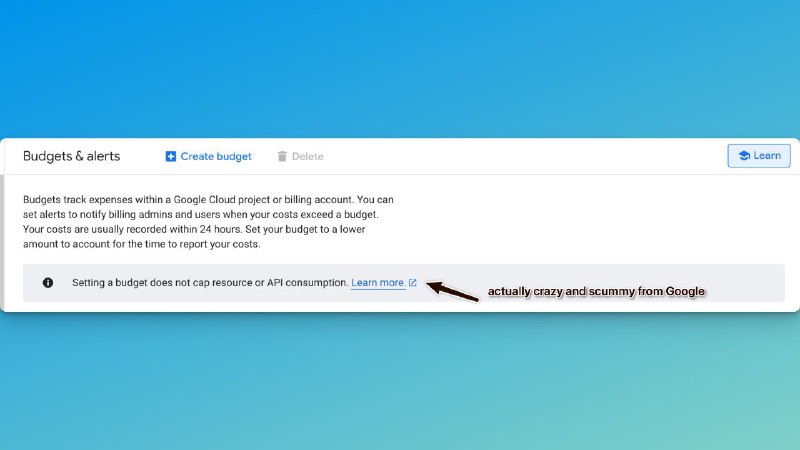
Budgets & alerts Create budget Delete Learn Budgets track expenses within a Google Cloud project or billing account. You can set alerts to notify billing admins and users when your costs exceed a budget. Your costs are usually recorded within 24 hours. Set your budget to a lower amount to account for the time to report your costs. Setting a budget does not cap resource or API consumption. Learn more. actually crazy and scummy from Google
A screenshot of the Google Cloud “Budgets & alerts” settings page highlights the warning that setting a budget does not cap resource or API consumption. The added sarcastic annotation calls Google’s billing behavior “actually crazy and scummy,” making this useful as a reaction to unexpected cloud costs or misleading budget controls. EN: A screenshot of the Google Cloud “Budgets & alerts” settings page highlights the warning that setting a budget does not cap resource or API consumption. The added sarcastic annotation calls Google’s billing behavior “actually crazy and scummy,” making this useful as a reaction to unexpected cloud costs or misleading budget controls.
cloud service dashboard / панель облачного сервисаbudget settings page / страница настроек бюджетаwarning banner / предупреждающий баннерinformation icon / информационный значокblue hyperlink / синяя гиперссылкаarrow annotation / стрелочная аннотацияblue gradient background / синий градиентный фонbrowser-style interface / интерфейс в стиле браузера
- @gentoomemes / 15604 2025-01-17
- Type
- image
- Size
- 800×450 · 32.2 KiB
- Mood
- sarcastic, angry
- Language
- en
- Added