Microsoft Office Hides AI Privacy Settings
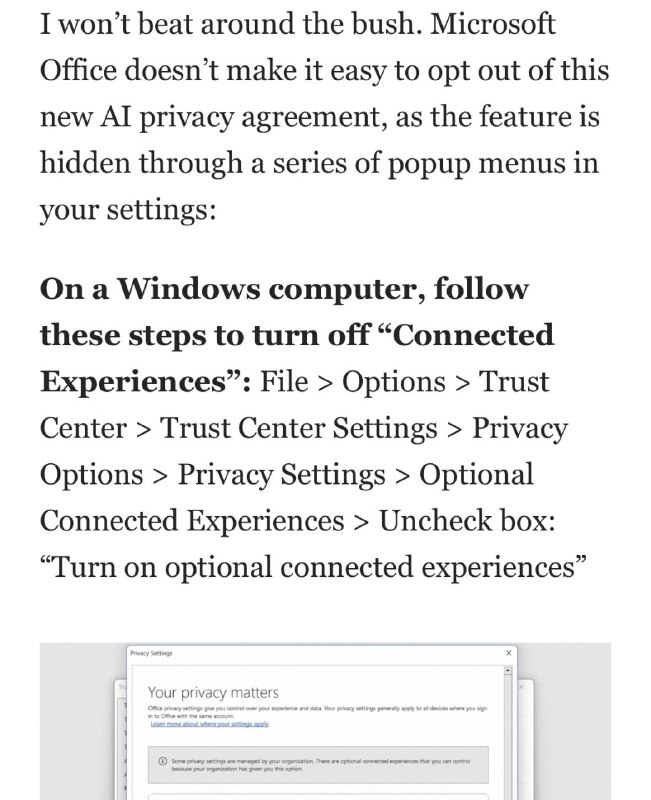
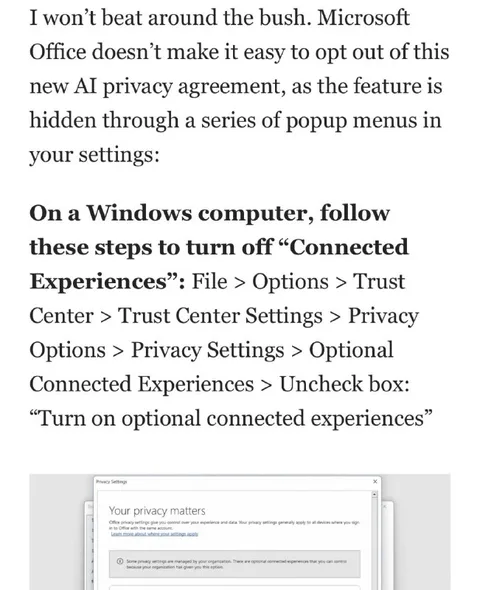
I won’t beat around the bush. Microsoft Office doesn’t make it easy to opt out of this new AI privacy agreement, as the feature is hidden through a series of popup menus in your settings: On a Windows computer, follow these steps to turn off “Connected Experiences”: File > Options > Trust Center > Trust Center Settings > Privacy Options > Privacy Settings > Optional Connected Experiences > Uncheck box: “Turn on optional connected experiences” Privacy Settings Your privacy matters Office privacy settings give you control over your experience and data. Your privacy settings generally apply to all devices where you sign in to Office with the same account. Learn more about what Microsoft collects using this link Some privacy settings are managed by your organization. There are optional connected experiences that you can control. Because your organization has given you this option.
A screenshot of a Microsoft Office privacy-settings guide explains how to disable “Connected Experiences” on a Windows computer. The joke is that Microsoft hides the opt-out behind a long maze of menus, making it difficult for users to avoid having their data used for AI training. It is shared as a sarcastic reaction to invasive software defaults and confusing privacy controls.
computer screen / экран компьютераWindows interface / интерфейс WindowsMicrosoft Office settings / настройки Microsoft Officeprivacy settings window / окно настроек конфиденциальностиpopup menus / всплывающие менюtext instructions / текстовые инструкцииbold heading / жирный заголовокcheckbox / флажокdocument page / страница документаsoftware interface / интерфейс программы
#microsoft#майкрософт#microsoft office#майкрософт офис#windows#виндовс#ai#ии#artificial intelligence#искусственный интеллект#privacy#конфиденциальность#data collection#сбор данных#opt out#отказаться#settings#настройки#connected experiences#подключенные возможности#sarcasm#сарказм#reaction#реакция#screenshot#скриншот#technology#технологии
- @gentoomemes / 14907 2024-11-24
- Type
- image
- Size
- 651×800 · 89.9 KiB
- Mood
- саркастичный, возмущённый
- Language
- en
- Added