Windows Activation Product Key Fail
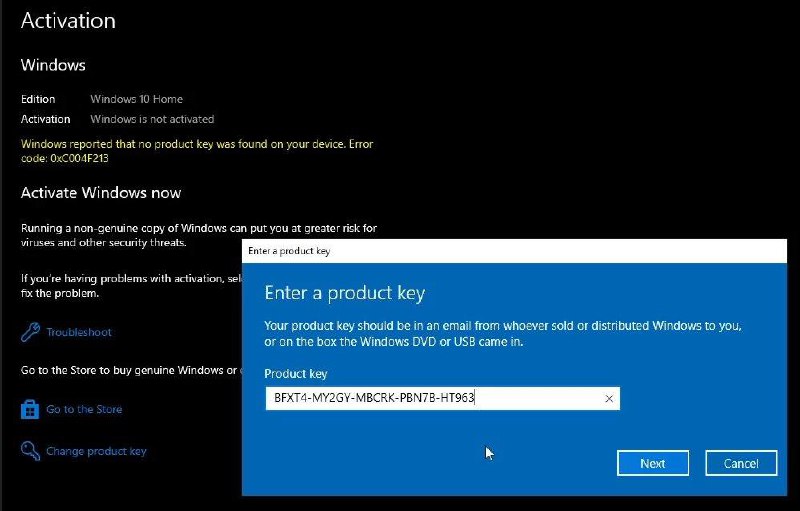
Activation Windows Edition Windows 10 Home Activation Windows is not activated Windows reported that no product key was found on your device. Error code: 0xC004F213 Activate Windows now Running a non-genuine copy of Windows can put you at greater risk for viruses and other security threats. If you're having problems with activation, select Troubleshoot to fix the problem. Troubleshoot Go to the Store to buy genuine Windows or check ... Go to the Store Change product key Enter a product key Your product key should be in an email from whoever sold or distributed Windows to you, or on the box the Windows DVD or USB came in. Product key BFXT4-MY2GY-MBCRK-PBN7B-HT963 Next Cancel
A Windows activation settings screen shows Windows 10 Home as not activated, while a product-key dialog contains a suspicious-looking key. The joke is that entering the key supposedly caused a disastrous mistake, turning an ordinary activation problem into a humorous warning about pirated or invalid software. It is used as a reaction to risky tech advice, fake product keys, or self-inflicted computer problems.
Windows activation settings screen / экран активации Windowsproduct key dialog / диалог ввода ключа продуктаcomputer interface / интерфейс компьютераblue dialog box / синее диалоговое окноblack background / чёрный фонtext field / текстовое полеmouse cursor / курсор мышиNext button / кнопка «Next»Cancel button / кнопка «Cancel»Windows logo icon / значок Windows
- @gentoomemes / 13789 2024-10-03
- Type
- image
- Size
- 800×511 · 51.9 KiB
- Mood
- sarcastic, absurd
- Language
- en
- Added