Microsoft Edge Energy Recommendations
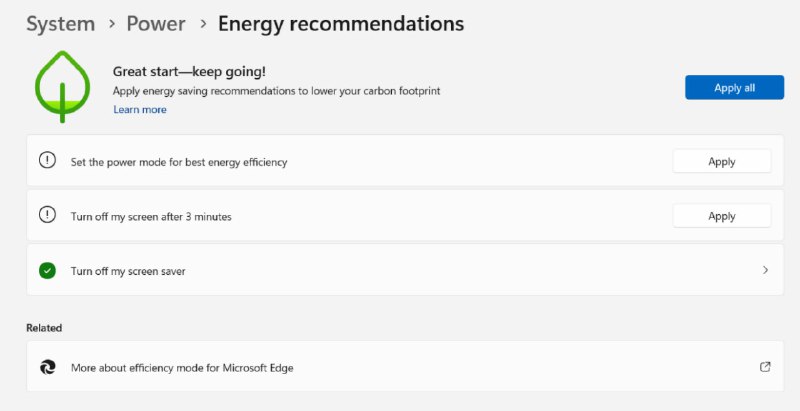
System > Power > Energy recommendations Great start—keep going! Apply every saving recommendation to lower your carbon footprint Learn more Apply all Set the power mode for best energy efficiency Apply Turn off my screen after 3 minutes Apply Turn off my screen saver Related More about efficiency mode for Microsoft Edge
A Windows energy recommendations screen encourages the user to reduce power consumption and lower their carbon footprint, while prominently linking the advice to Microsoft Edge. The joke is that environmental conservation is humorously framed as a reason to use a specific browser, making the system recommendation feel like an advertisement. EN: A Windows energy recommendations screen encourages the user to reduce power consumption and lower their carbon footprint, while prominently linking the advice to Microsoft Edge. The joke is that environmental conservation is humorously framed as a reason to use a specific browser, making the system recommendation feel like an advertisement.
computer settings screen / экран настроек компьютераWindows interface / интерфейс Windowsgreen leaf icon / зелёный значок листаenergy recommendation panel / панель рекомендаций по энергосбережениюApply all button / кнопка «Применить все»Apply buttons / кнопки «Применить»power mode setting / настройка режима питанияscreen timeout setting / настройка тайм-аута экранаscreen saver setting / настройка экранной заставкиMicrosoft Edge / Microsoft Edgecarbon footprint message / сообщение об углеродном следе
#energy saving#энергосбережение#environment#окружающая среда#carbon footprint#углеродный след#microsoft edge#браузер#browser#windows#компьютер#computer#power consumption#потребление энергии#green technology#зелёные технологии#sarcasm#сарказм#irony#ирония#screenshot#скриншот#meme#мем#reaction#реакция
- @gentoomemes / 11716 2024-06-06
- Type
- image
- Size
- 800×411 · 25.7 KiB
- Mood
- саркастичный
- Language
- en
- Added