1Password Version History Update Notes
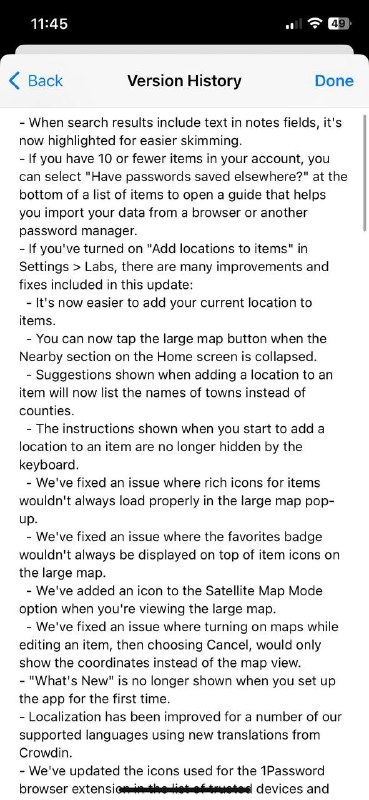
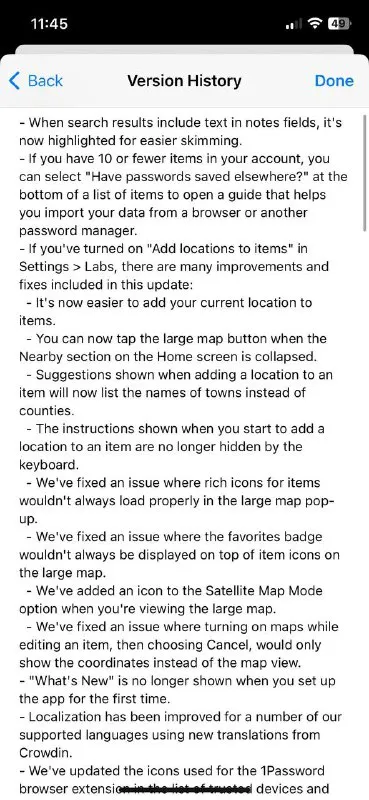
- When search results include text in notes fields, it's now highlighted for easier skimming. - If you have 10 or fewer items in your account, you can select "Have passwords saved elsewhere?" at the bottom of a list of items to open a guide that helps you import your data from a browser or another password manager. - If you've turned on "Add locations to items" in Settings > Labs, there are many improvements and fixes included in this update: - It's now easier to add your current location to items. - You can now tap the large map button when the Nearby section on the Home screen is collapsed. - Suggestions shown when adding a location to an item will now list the names of towns instead of counties. - The instructions shown when you start to add a location to an item are no longer hidden by the keyboard. - We've fixed an issue where rich icons for items wouldn't always load properly in the large map pop-up. - We've fixed an issue where the favorites badge wouldn't always be displayed on top of item icons on the large map. - We've added an icon to the Satellite Map Mode option when you're viewing the large map. - We've fixed an issue where turning on maps while editing an item, then choosing Cancel, would only show the coordinates instead of the standard map view. - "What's New" is no longer shown when you set up the app for the first time. - Localization has been improved for a number of our supported languages using new translations from Crowdin. - We've updated the icons used for the 1Password browser extension on Microsoft Edge devices and
A phone screenshot shows the Version History screen of a password-management app, filled with long technical release notes about maps, locations, icons, localization, and setup behavior. The joke is the contrast between the harmlessly mundane software update details and the uploader’s “hydrogen bomb vs coughing baby” caption, which frames the update as absurdly overpowered or dramatically important for such minor changes. It can be sent as a reaction to an unnecessarily intense comparison or a trivial update presented as a major event. EN: A phone screenshot shows the Version History screen of a password-management app, filled with long technical release notes about maps, locations, icons, localization, and setup behavior. The joke is the contrast between the harmlessly mundane software update details and the uploader’s “hydrogen bomb vs coughing baby” caption, which frames the update as absurdly overpowered or dramatically important for such minor changes. It can be sent as a reaction to an unnecessarily intense comparison or a trivial update presented as a major event.
- @gentoomemes / 9571 2024-02-21
- Type
- image
- Size
- 369×800 · 97.5 KiB
- Mood
- absurd, sarcastic
- Language
- en
- Added