How to Launch Apps on Different GPUs
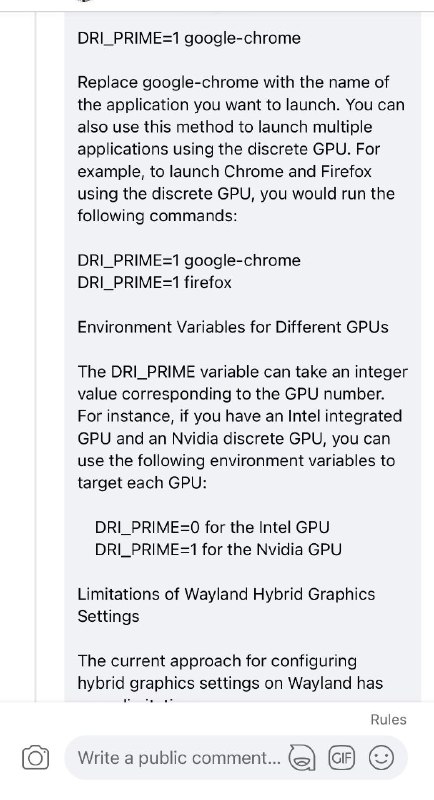
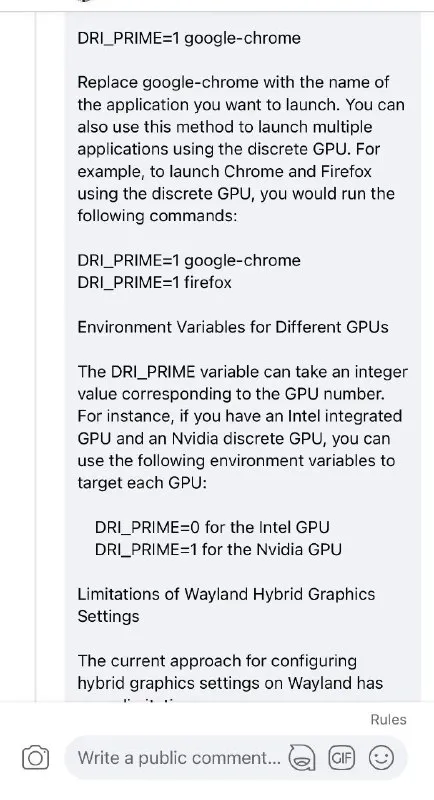
DRI_PRIME=1 google-chrome Replace google-chrome with the name of the application you want to launch. You can also use this method to launch multiple applications using the discrete GPU. For example, to launch Chrome and Firefox using the discrete GPU, you would run the following commands: DRI_PRIME=1 google-chrome DRI_PRIME=1 firefox Environment Variables for Different GPUs The DRI_PRIME variable can take an integer value corresponding to the GPU number. For instance, if you have an Intel integrated GPU and an Nvidia discrete GPU, you can use the following environment variables to target each GPU: DRI_PRIME=0 for the Intel GPU DRI_PRIME=1 for the Nvidia GPU Limitations of Wayland Hybrid Graphics Settings The current approach for configuring hybrid graphics settings on Wayland has
A screenshot of technical documentation showing Linux commands and explanations for launching applications on a selected GPU. The uploader’s caption, “How to get answers online,” humorously frames copying a search result or documentation page as a way to solve a technical problem. EN: A screenshot of technical documentation showing Linux commands and explanations for launching applications on a selected GPU. The uploader’s caption, “How to get answers online,” humorously frames copying a search result or documentation page as a way to solve a technical problem.
documentation webpage / страница документацииtext block / текстовый блокLinux command / команда Linuxcomputer interface / компьютерный интерфейсGPU settings / настройки графического процессораintegrated GPU / интегрированная видеокартаNvidia GPU / видеокарта NvidiaIntel GPU / видеокарта Intelbrowser application / браузерное приложениеcomment input bar / поле ввода комментария
- @gentoomemes / 8623 2024-01-11
- Type
- image
- Size
- 434×800 · 76.6 KiB
- Mood
- informative, ironic
- Language
- en
- Added