Windows Failed to Start
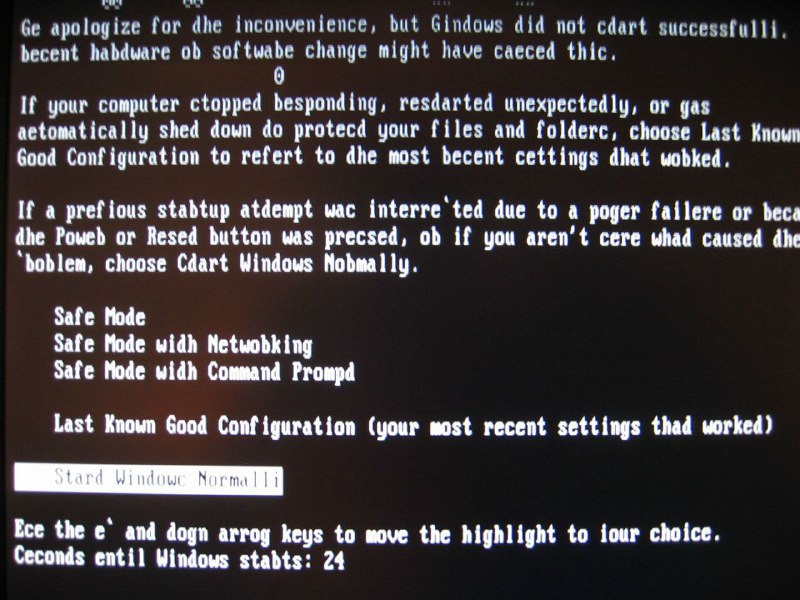
Ge apologize for the inconvenience, but Gindows did not dart successfully. becent hadware ob softwate change might have caeced thic. 0 If your computer stopped responding, restarted unexpectedly, or gas automatically shed down do protect your files and folders, choose Last Known Good Configuration to revert to the most recent settings thad worked. If a previous startup attempt wac interre'ted due to a power failere or beca the Power or Besd button was pressed, ob if you aren't cere whad caused the 'blem, choose Cdart Windows Normally. Safe Mode Safe Mode with Netwobking Safe Mode wian Command Prompt Last Known Good Configuration (your most recent settings thad worked) Stard Windows Normally Ece the e' and dogn arrow keys to move the highlight to lour choice. Seconds entil Windows statts: 24
A distorted Windows startup recovery screen displays bizarrely misspelled instructions and boot options. The joke is the uncanny, corrupted version of a familiar computer error screen, making it useful as an absurd reaction to something malfunctioning or going terribly wrong. EN: A distorted Windows startup recovery screen displays bizarrely misspelled instructions and boot options. The joke is the uncanny, corrupted version of a familiar computer error screen, making it useful as an absurd reaction to something malfunctioning or going terribly wrong.
computer screen / экран компьютераWindows recovery menu / меню восстановления Windowsblack background / чёрный фонwhite text / белый текстstartup error message / сообщение об ошибке запускаboot options / варианты загрузкиhighlighted selection bar / подсвеченная строка выбораcountdown timer / таймер обратного отсчётаkeyboard instructions / инструкции по клавиатуреSafe Mode option / вариант безопасного режимаcommand prompt option / вариант командной строкиpower button / кнопка питания
- @gentoomemes / 7492 2023-11-22
- Type
- image
- Size
- 800×600 · 111.3 KiB
- Mood
- absurd, glitchy
- Language
- en
- Added