Word Infinite Loop Debugging
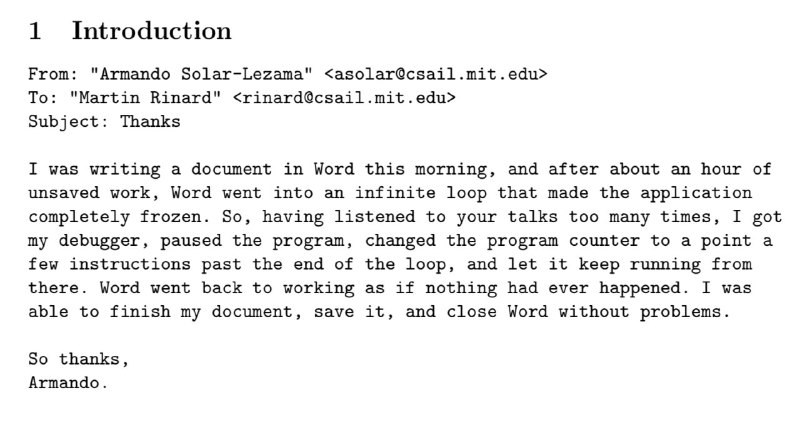
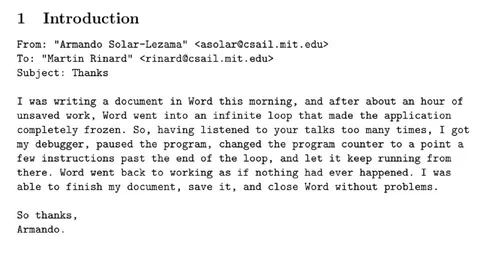
1 Introduction From: "Armando Solar-Lezama" <asolar@csail.mit.edu> To: "Martin Rinard" <rinard@csail.mit.edu> Subject: Thanks I was writing a document in Word this morning, and after about an hour of unsaved work, Word went into an infinite loop that made the application completely frozen. So, having listened to your talks too many times, I got my debugger, paused the program, changed the program counter to a point a few instructions past the end of the loop, and let it keep running from there. Word went back to working as if nothing had ever happened. I was able to finish my document, save it, and close Word without problems. So thanks, Armando.
An email describes how Microsoft Word froze in an infinite loop after an hour of unsaved work. The writer uses a debugger to move the program counter past the loop, making Word work again, and humorously thanks the recipient for inspiring the fix through repeated talks. It is a reaction meme for clever debugging, software bugs, and absurdly technical solutions. EN: An email describes how Microsoft Word froze in an infinite loop after an hour of unsaved work. The writer uses a debugger to move the program counter past the loop, making Word work again, and humorously thanks the recipient for inspiring the fix through repeated talks. It is a reaction meme for clever debugging, software bugs, and absurdly technical solutions.
email screenshot / скриншот электронной почтыdocument / документcomputer software / компьютерная программаMicrosoft Word window / окно Microsoft Worddebugger / отладчикprogram counter / счётчик командinfinite loop / бесконечный циклtext / текстmonospaced font / моноширинный шрифтwhite page / белая страница
- @infosecmemes / 568 2021-03-08
- Type
- image
- Size
- 800×427 · 62.9 KiB
- Mood
- sarcastic, nerdy
- Language
- en
- Added