Schematic Wires Not Transferring
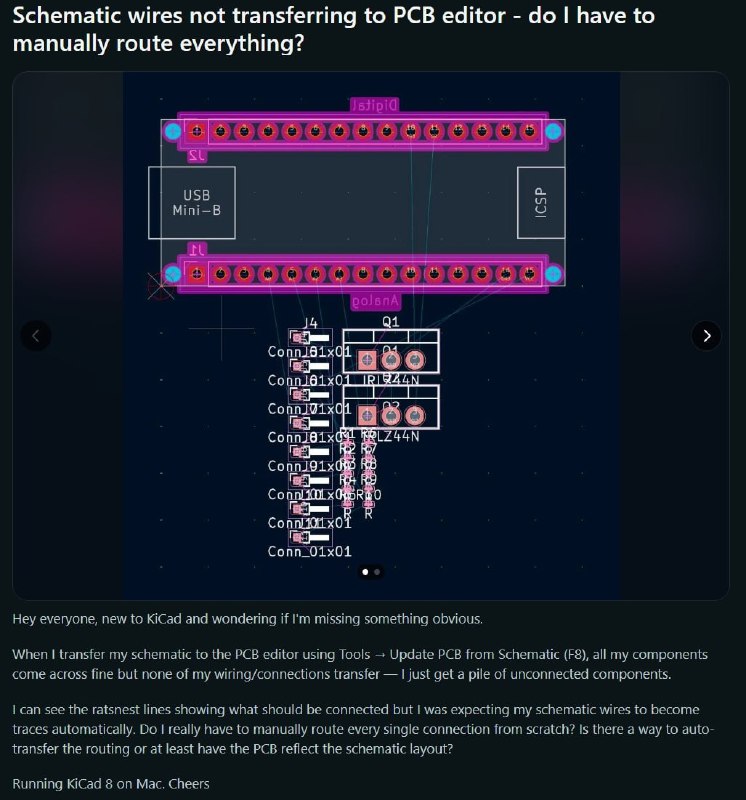
Schematic wires not transferring to PCB editor - do I have to manually route everything? USB Mini-B ICSP J4 Q1 Conn_01x01 Conn_01x01 Conn_01x01 Conn_01x01 Conn_01x01 Conn_01x01 Conn_01x01 Conn_01x01 Hey everyone, new to KiCad and wondering if I'm missing something obvious. When I transfer my schematic to the PCB editor using Tools → Update PCB from Schematic (F8), all my components come across fine but none of my wiring/connections transfer — I just get a pile of unconnected components. I can see the ratsnest lines showing what should be connected but I was expecting my schematic wires to become traces automatically. Do I really have to manually route every single connection from scratch? Is there a way to auto-transfer the routing or at least have the PCB reflect the schematic layout? Running KiCad 8 on Mac. Cheers.
A confused KiCad user shows a PCB layout full of unconnected components and asks why the schematic wires did not transfer into the PCB editor. The joke is the mismatch between expecting automatic routing and the reality that PCB traces must be routed manually, making the situation relatable to beginners using KiCad. The image shows a confused KiCad user with a PCB layout full of unconnected components, asking why the schematic wires did not transfer into the PCB editor. The joke is the mismatch between expecting automatic routing and the reality that PCB traces must be routed manually, making the situation relatable to beginners using KiCad.
PCB layout / разводка печатной платыelectronic components / электронные компонентыconnectors / разъёмыUSB Mini-B port / порт USB Mini-BICSP header / разъём ICSPratsnest lines / линии связейschematic wires / провода схемыPCB traces / дорожки печатной платыKiCad interface / интерфейс KiCaddark blue editor window / тёмно-синее окно редактораpink connector footprints / розовые посадочные места разъёмовcomponent labels / обозначения компонентов
#kicad#кикад#pcb#печатная плата#schematic#схема#electronics#электроника#pcb routing#трассировка платы#unconnected components#неподключённые компоненты#ratsnest#линии связей#manual routing#ручная трассировка#beginner#новичок#programming#программирование#tech#технологии#reaction#реакция#screenshot#скриншот#engineering#инженерия
- @pokupkabitka / 56091 2026-05-18
- Type
- image
- Size
- 746×800 · 95.5 KiB
- Mood
- confused, relatable
- Language
- en
- Added