Secret SSH Menu Trick
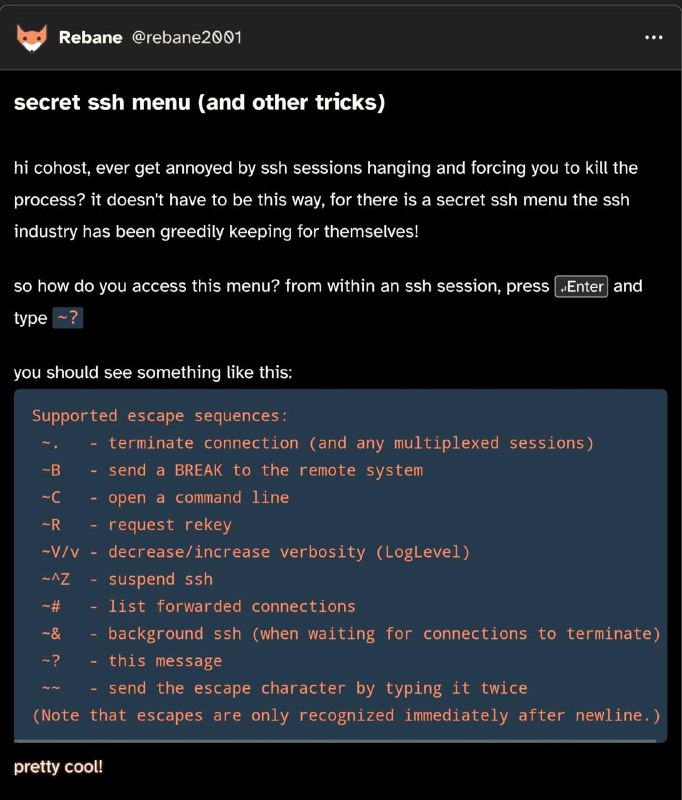
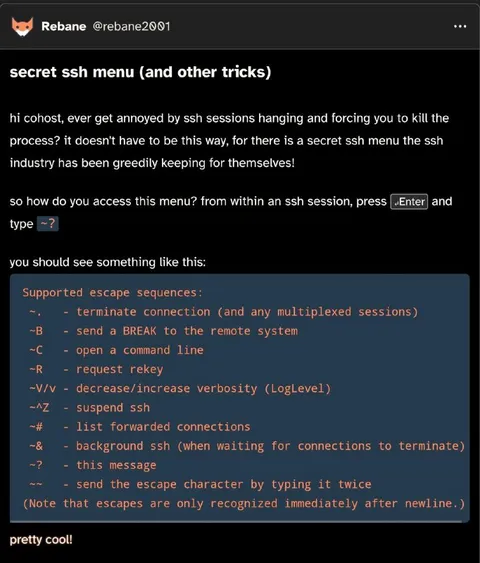
secret ssh menu (and other tricks) hi cohost, ever get annoyed by ssh sessions hanging and forcing you to kill the process? it doesn't have to be this way, for there is a secret ssh menu the ssh industry has been greedily keeping for themselves! so how do you access this menu? from within an ssh session, press Enter and type ~? you should see something like this: Supported escape sequences: ~. - terminate connection (and any multiplexed sessions) ~B - send a BREAK to the remote system ~C - open a command line ~R - request rekey ~V/v - decrease/increase verbosity (LogLevel) ~^Z - suspend ssh ~# - list forwarded connections ~& - background ssh (when waiting for connections to terminate) ~? - this message ~~ - send the escape character by typing it twice (Note that escapes are only recognized immediately after newline.) pretty cool!
A dark-themed screenshot of a social media post explains a hidden SSH escape-sequence menu. It shows the keyboard shortcuts available during an SSH session, including terminating a connection, opening a command line, suspending SSH, and viewing the menu itself. The joke is the exaggerated claim that the SSH industry has selfishly hidden this useful feature, making it a relatable tech reaction for anyone frustrated by hanging SSH sessions. EN: A dark-themed screenshot of a social media post explains a hidden SSH escape-sequence menu. It shows the keyboard shortcuts available during an SSH session, including terminating a connection, opening a command line, suspending SSH, and viewing the menu itself. The joke is the exaggerated claim that the SSH industry has selfishly hidden this useful feature, making it a relatable tech reaction for anyone frustrated by hanging SSH sessions.
- @pokupkabitka / 54832 2026-03-11
- Type
- image
- Size
- 682×800 · 87.0 KiB
- Mood
- саркастичный, познавательный
- Language
- en
- Added