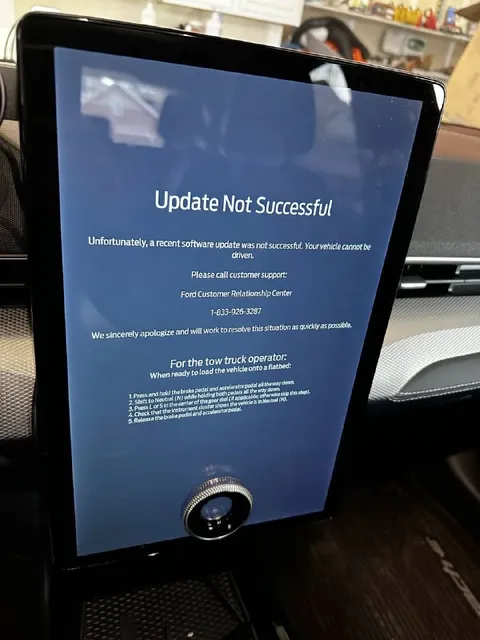
Ford Update Not Successful
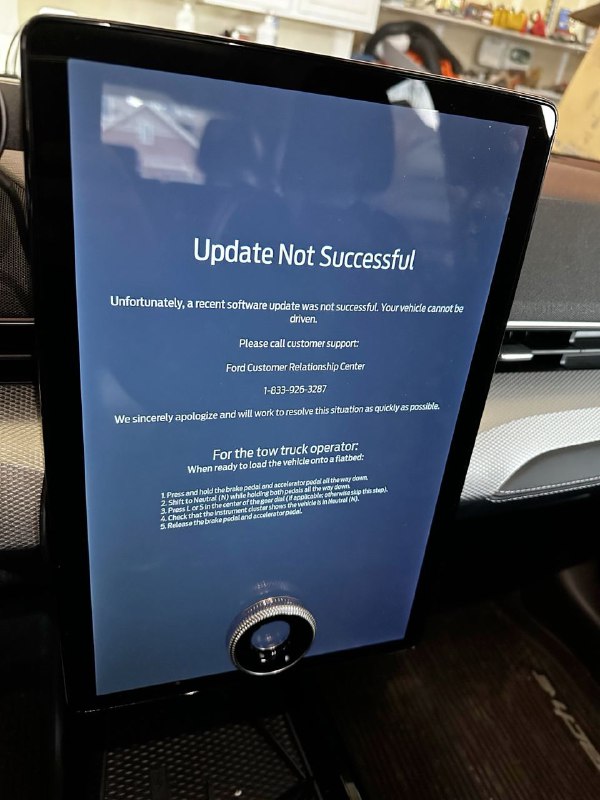
Update Not Successful Unfortunately, a recent software update was not successful. Your vehicle cannot be driven Please call customer support: Ford Customer Relationship Center 1-833-926-3287 We sincerely apologize and will work to resolve this situation as quickly as possible. For the tow truck operator: When ready to load the vehicle onto a flatbed: 1. Press and hold the brake pedal and accelerator pedal down. 2. Shift to Neutral (N) while holding both pedals at the same time. 3. Press Enter on the center display to acknowledge this step. 4. Check that the instrument cluster shows N. 5. Release the brake pedal and accelerator pedal.
На экране автомобиля Ford показано сообщение о неудачном обновлении программного обеспечения: машину нельзя вести, и для её погрузки на эвакуатор приведены специальные инструкции. Шутка в том, что обычное обновление превратило автомобиль в неподвижный объект, которому теперь нужен эвакуатор. EN: A Ford vehicle screen displays a failed software update message saying the car cannot be driven, followed by special instructions for loading it onto a tow truck. The joke is that an ordinary software update has turned the vehicle into an immobile object that now needs a tow truck.
car infotainment screen / экран автомобильной мультимедийной системыFord vehicle interior / салон автомобиля Fordsoftware error message / сообщение об ошибке программного обеспеченияtow truck instructions / инструкции для эвакуатораsteering wheel / рулевое колесоdashboard / приборная панельcenter display / центральный дисплейcontrol knob / ручка управленияcar seat / автомобильное сиденьеflatbed tow truck reference / упоминание платформенного эвакуатораbrake pedal / педаль тормозаaccelerator pedal / педаль акселератора
- @pokupkabitka / 34378 2024-01-20
- Type
- image
- Size
- 600×800 · 75.4 KiB
- Mood
- абсурдный, саркастичный
- Language
- en
- Added