Windows Fax and Scan
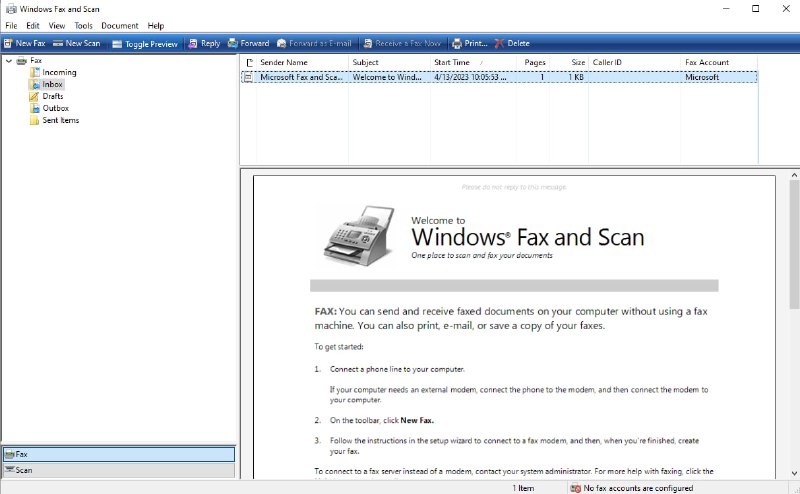
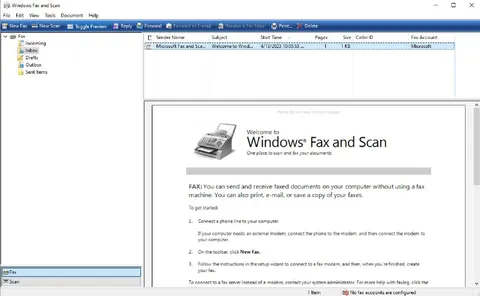
Windows Fax and Scan Welcome to Windows® Fax and Scan One place to scan and fax your documents FAX: You can send and receive faxed documents on your computer without using a fax machine. You can also print, e-mail, or save a copy of your faxes. To get started: 1. Connect a phone line to your computer. 2. On the toolbar, click New Fax. 3. Follow the instructions in the setup wizard to connect to a fax modem, and then, when you're finished, create your fax. To connect to a fax server instead of a modem, contact your system administrator.
A screenshot of the old Windows Fax and Scan application, showing its welcome page and instructions for sending, receiving, scanning, and faxing documents. The joke is that the program looks absurdly outdated and overly focused on fax machines, making it a funny reaction to the idea of using obsolete Windows software to scan documents.
computer monitor / монитор компьютераWindows application window / окно приложения Windowsfax machine illustration / изображение факсаdocument / документtoolbar / панель инструментовfolder tree / дерево папокemail message list / список сообщений электронной почтыscroll bar / полоса прокруткиphone line / телефонная линияfax modem / факс-модемtext instructions / текстовые инструкции
- @gentoomemes / 3891 2023-04-13
- Type
- image
- Size
- 800×494 · 57.3 KiB
- Mood
- absurd, nostalgic
- Language
- en
- Added