Quake 3 OpenGL Crash Fix
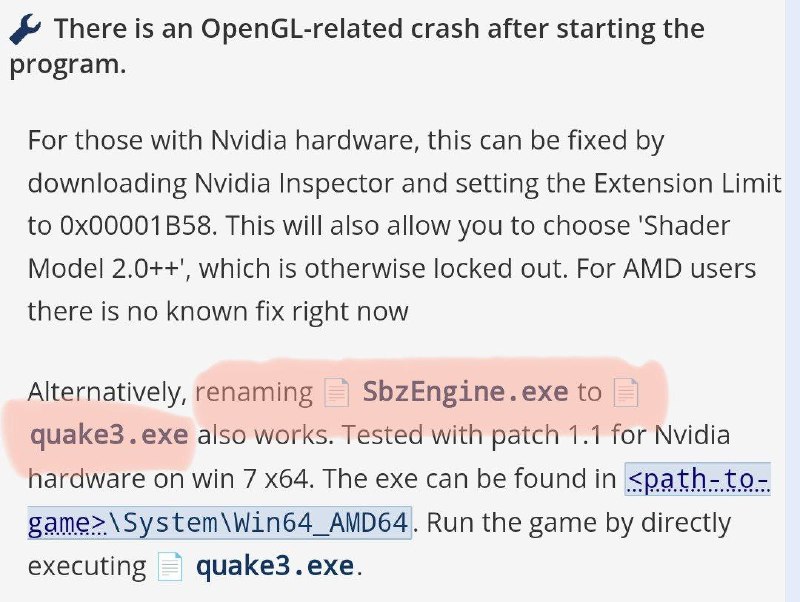
🔧 There is an OpenGL-related crash after starting the program. For those with Nvidia hardware, this can be fixed by downloading Nvidia Inspector and setting the Extension Limit to 0x00001B58. This will also allow you to choose 'Shader Model 2.0++', which is otherwise locked out. For AMD users there is no known fix right now Alternatively, SbzEngine.exe to quake3.exe also works. Tested with patch 1.1 for Nvidia hardware on win 7 x64. The exe can be found in <path_to_game>\System\Win64_AMD64. Run the game by directly executing quake3.exe.
A technical support note explains how to fix an OpenGL crash when launching a program, with separate instructions for Nvidia and AMD hardware. The joke is the absurdly specific workaround of renaming SbzEngine.exe to quake3.exe, presented like a serious troubleshooting guide. It is shared as a reaction to bizarre software bugs, outdated PC gaming fixes, or overly technical advice.
computer software error / ошибка компьютерной программыwrench emoji / эмодзи с гаечным ключомOpenGL crash message / сообщение о сбое OpenGLNvidia hardware / оборудование NvidiaAMD hardware / оборудование AMDNvidia Inspector utility / утилита Nvidia Inspectorshader model setting / настройка шейдерной моделиexecutable file / исполняемый файлWindows 7 / Windows 7Quake 3 game / игра Quake 3technical instructions / технические инструкцииhighlighted text / выделенный текст
- @gentoomemes / 10482 2024-04-08
- @dev_meme / 6038 2024-06-03
- Type
- image
- Size
- 800×602 · 96.4 KiB
- Mood
- absurd technical
- Language
- en
- Added