Compressed Windows Folder in BIOS
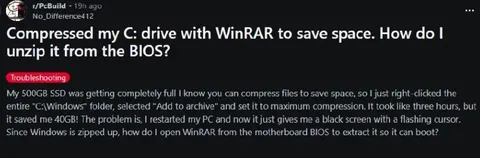
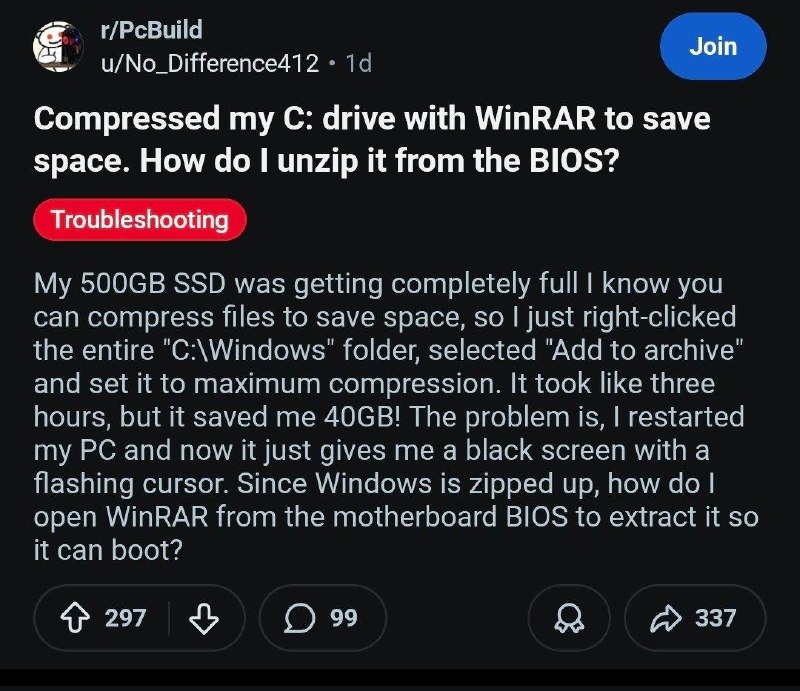
Compressed my C: drive with WinRAR to save space. How do I unzip it from the BIOS? My 500GB SSD was getting completely full I know you can compress files to save space, so I just right-clicked the entire "C:\Windows" folder, selected "Add to archive" and set it to maximum compression. It took like three hours, but it saved me 40GB! The problem is, I restarted my PC and now it just gives me a black screen with a flashing cursor. Since Windows is zipped up, how do I open WinRAR from the motherboard BIOS to extract it so it can boot?
A fictional Reddit troubleshooting post claims that the entire C:\Windows folder was compressed with WinRAR to save disk space. After restarting, the computer shows only a black screen because Windows can no longer boot, and the writer absurdly asks how to open WinRAR from the BIOS to extract it. The joke is aimed at technically clueless users and is commonly shared as a reaction to dangerously misguided computer advice. EN: A fictional Reddit troubleshooting post claims that the entire C:\Windows folder was compressed with WinRAR to save disk space. After restarting, the computer shows only a black screen because Windows can no longer boot, and the writer absurdly asks how to open WinRAR from the BIOS to extract it. The joke is aimed at technically clueless users and is commonly shared as a reaction to dangerously misguided computer advice.
- @gentoomemes / 20850 2026-05-10
- Type
- image
- Size
- 800×691 · 121.1 KiB
- Mood
- саркастичный, абсурдный
- Language
- en
- Added